
ChatGPT Astra

lextoc

I like pizza.
Messages
513
Location
Belgium, Antwerp
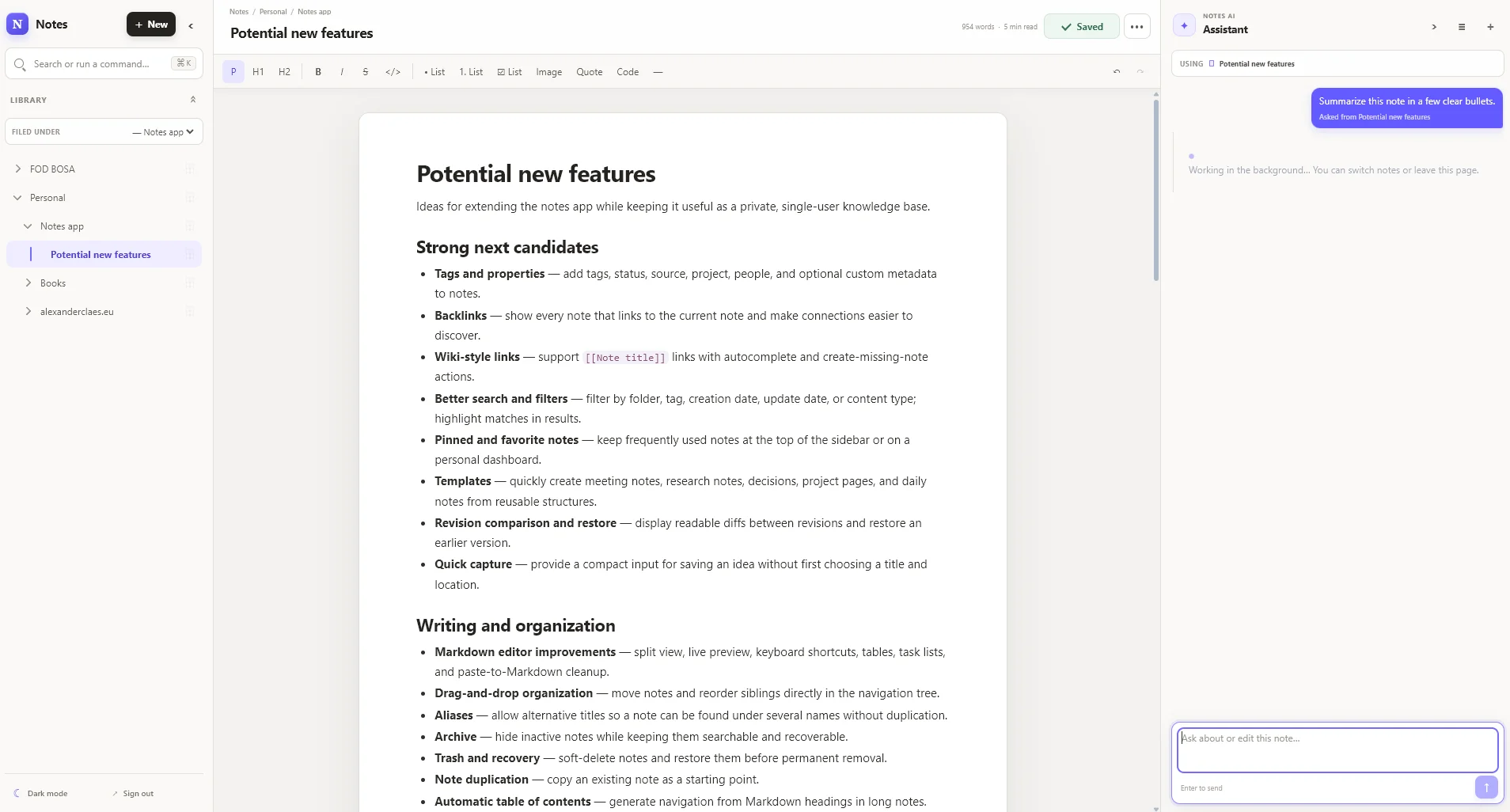
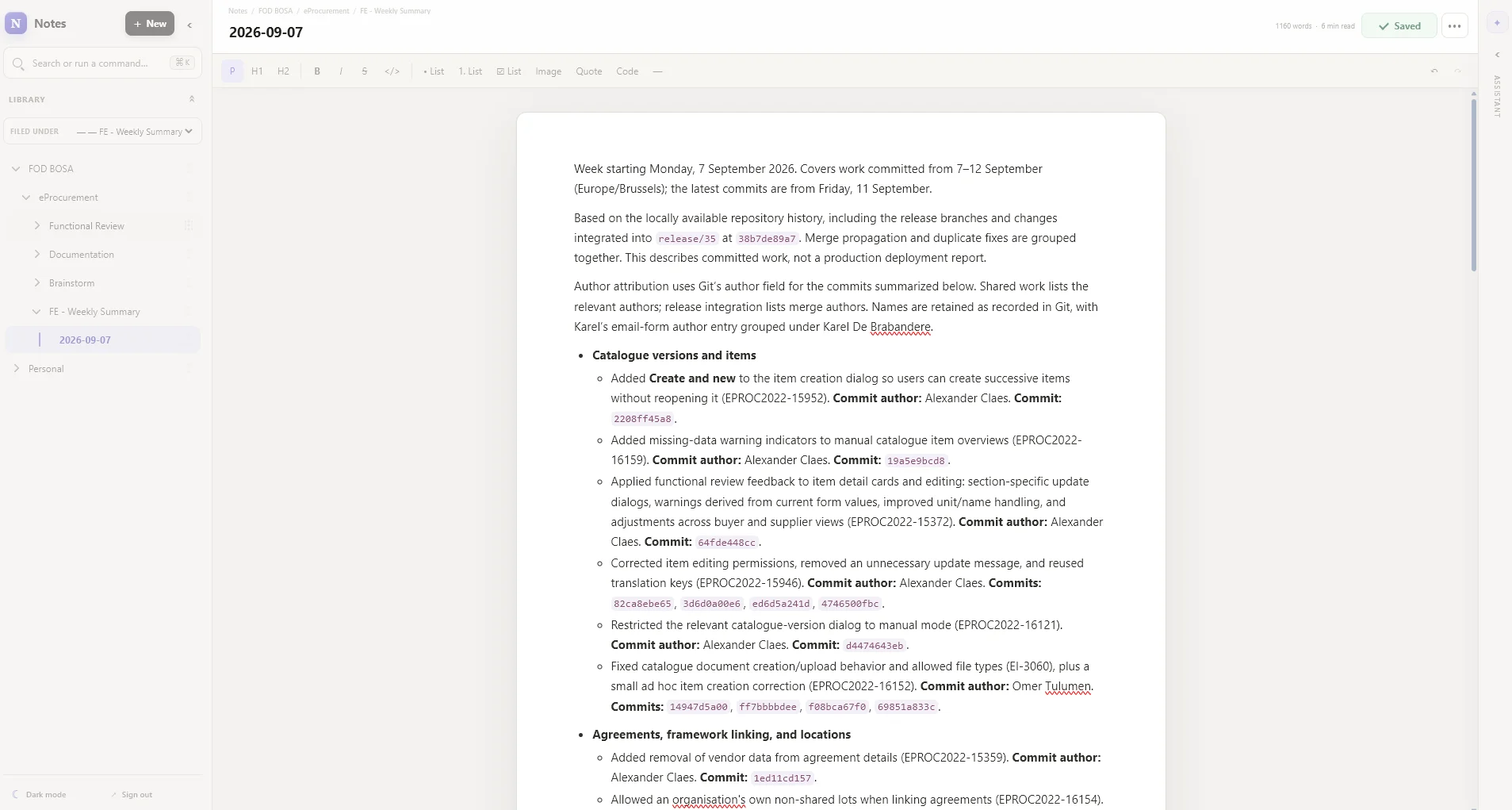
What are some cool things you've made with this version of ChatGPT? I'll go first:

I was using Notion but didn't want to pay for it, have a droplet at DigitalOcean, so I decided to create it myself with ChatGPT Astra, it took me literally two evenings (maybe 8 hours).

It's a single-user app, meaning you can't add users to it or anything, but it has:
- Hierarchy support
- Command palette
- MCP (I can use my notes from my IDE and create / update notes based on the codebase in my IDE)
- In-browser AI Assistant that can run when the window closes
- Runs on my personal ChatGPT subscription (via OpenClaw bot that's running on my droplet
- Dark mode support 😎
- Can make notes public if I want to (read-only)
- I could add cronjobs for OpenClaw as it's running on my server, making automatic notes creating possible, or even deploy something on the droplet following a notes instructions etc.
- Probably more stuff?
1789215321976.webp

1789215356299.webp
 
What are some cool things you've made with this version of ChatGPT? I'll go first:

I was using Notion but didn't want to pay for it, have a droplet at DigitalOcean, so I decided to create it myself with ChatGPT Astra, it took me literally two evenings (maybe 8 hours).

It's a single-user app, meaning you can't add users to it or anything, but it has:
- Hierarchy support
- Command palette
- MCP (I can use my notes from my IDE and create / update notes based on the codebase in my IDE)
- In-browser AI Assistant that can run when the window closes
- Runs on my personal ChatGPT subscription (via OpenClaw bot that's running on my droplet
- Dark mode support 😎
- Can make notes public if I want to (read-only)
- I could add cronjobs for OpenClaw as it's running on my server, making automatic notes creating possible, or even deploy something on the droplet following a notes instructions etc.
- Probably more stuff?

View attachment 1828
View attachment 1829
Very nice!
I've been using the Codex desktop app for a few months now, Astra really adds another dimension. So far things I've created since using Astra:

  1. Adventure Games for my kids
  2. Expanded my dashboard for work with:
    1. Custom photo tagging tool: indexed 18k photos, they can be tagged, downloaded, opened in explorer with the file selected,...
      This replaces Synology Photos and has more features, still adding more functionality.
  3. Took photos of a product for work, and Astra turned it into a 3D product in Blender for me.

On to-do list:
  • Also replace Notion; we use the calendar mostly for marketing purposes, want to integrate it into our dashboard.
  • Try video editing (not sure yet what to use, heard great things about DaVinci Resolve, but I've always used Premiere Pro)
    Will depend on the best MCP integration
 
The custom photo tagging tool is now trying to auto-tag all 18k photos by reading the product names. Fingers crossed.
 
I still like to mix (drum and bass, deep house, tech house) but lack the time.
Built a simple tool that sets 7 cuepoints based on where I define the drop. This will save me hours in preparation for mixes, and can get me going much faster.

1790749867108.webp
 
Mave's Music Mower

The problem: I have digital FOMO. I like an artist, I sometimes download their entire discography. Naturally I only want to keep songs I like, but manually listening to every one of them, then going back and deleting them took way too much time.

The solution: A program that accepts multiple songs or folders, loads them all in, with shortcuts you can keep (k) or delete (d) them. Sends them to recycle bin first, so you can still recover after accidentally deleting. This process goes surprisingly efficient now.

Features:
  • Load multiple songs or folders
  • Groups them by title
  • Next song automatically plays after k/d action
  • Shows queued songs left
  • Shows percentage cleared
  • Shows number of tracks kept
  • Shows number of tracks recycled
  • Shows number of tracks skipped
  • Added a bit of transparency because I like it
  • Double click protection
  • Auto-loads your previous list after closing/re-opening
Shortcuts:
  • K: keep song (same as pressing keep button)
  • D: delete song (same as pressing delete button)
  • S: skip song and play next (the decide later option)
  • Arrow right: Fast forward 5 seconds
  • Arrow left: Go back 5 seconds
  • Shift + arrow right: Fast forward 10 seconds
  • Shift + arrow right: Go back 10 seconds
  • Control + arrow left: Go to beginning of song
  • Space: pauses song
Music info:
  • Album art (limited to first 14 songs to reduce load)
  • Artist
  • Title
  • Year
  • Length
  • Bitrate
  • File format
  • Size

1793955854531.webp
 
Last edited:
Mave's Music Mower

The problem: I have digital FOMO. I like an artist, I sometimes download their entire discography. Naturally I only want to keep songs I like, but manually listening to every one of them, then going back and deleting them took way too much time.

The solution: A program that accepts multiple songs or folders, loads them all in, with shortcuts you can keep (k) or delete (d) them. Sends them to recycle bin first, so you can still recover after accidentally deleting. This process goes surprisingly efficient now.

Features:
  • Load multiple songs or folders
  • Groups them by title
  • Next song automatically plays after k/d action
  • Shows queued songs left
  • Shows percentage cleared
  • Shows number of tracks kept
  • Shows number of tracks recycled
  • Shows number of tracks skipped
  • Added a bit of transparency because I like it
  • Double click protection
  • Auto-loads your previous list after closing/re-opening
Shortcuts:
  • K: keep song (same as pressing keep button)
  • D: delete song (same as pressing delete button)
  • S: skip song and play next (the decide later option)
  • Arrow right: Fast forward 5 seconds
  • Arrow left: Go back 5 seconds
  • Shift + arrow right: Fast forward 10 seconds
  • Shift + arrow right: Go back 10 seconds
  • Control + arrow left: Go to beginning of song
  • Space: pauses song
Music info:
  • Album art (limited to first 14 songs to reduce load)
  • Artist
  • Title
  • Year
  • Length
  • Bitrate
  • File format
  • Size

View attachment 2347
Small update:
Made the album art and transparency toggleable in a settings menu:

1793957731854.webp
 
Ah that's funny, I literally build the same (simpler) thing for pictures, like a Tinder to manage what pictures you want to keep. This seems much much more advanced though! :D
 
Back
Top Bottom